
Every US trucking carrier, ready to call.
Search 4.5 million carrier records by MC, USDOT, name or phone. Check authority and insurance, then call, email and follow up without leaving the page.
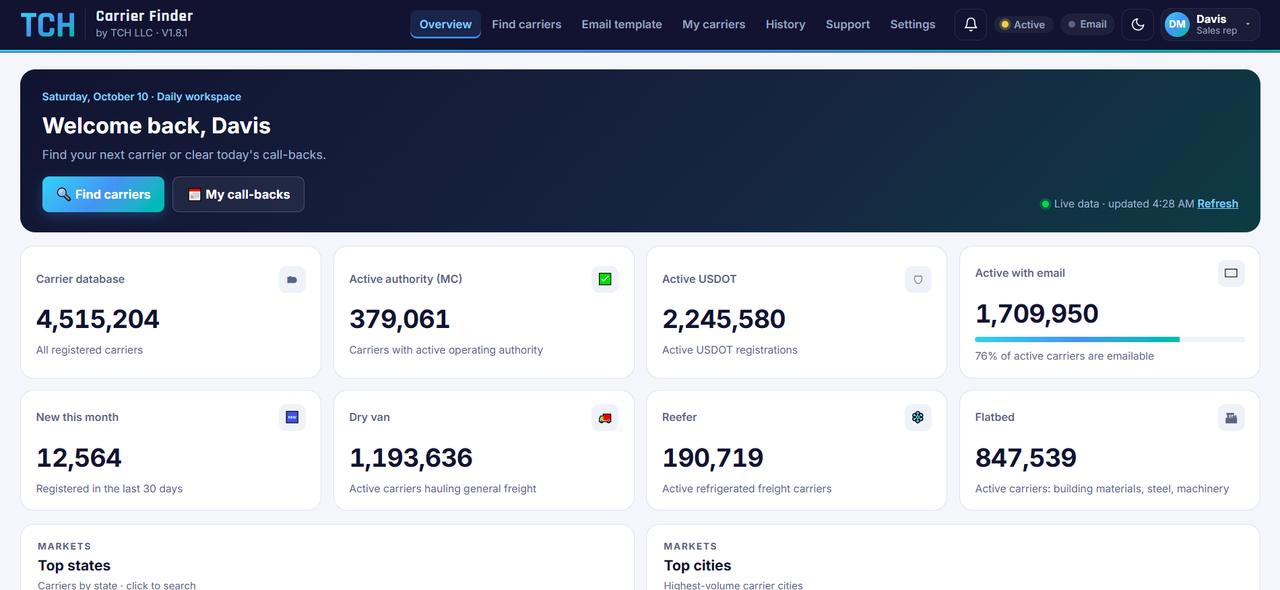
Built for people who work carriers all day
Search, qualify and follow up in one place, so nothing falls between a spreadsheet, a phone and an inbox.
Search five ways
Look up carriers by MC number, USDOT number, company name, phone number, or a whole MC range.
Filters that narrow fast
States, carrier or broker, equipment, fleet size, truck and trailer counts, authority age, grant date, and whether there's an email or phone.
Live verification
Each carrier on your screen is checked live for authority, liability on file and out-of-service orders.
Call and email in one click
Dial straight from the list, or send your own email template from your Gmail, one carrier or many at once.
Statuses and call-backs
Mark carriers Contacted, Call back, Interested or Sale done. Call-back reminders ring right on time, in Eastern Time.
Clean exports
Download up to 1,000 carriers per file as CSV, with exported carriers marked so nobody works them twice.
Find carriers worth calling, then actually call them
Dispatch services, factoring, ELD, fuel cards, load boards: if you sell to trucking companies, start every day with a fresh, qualified list.
- New authorities first. Results start with the youngest carriers, the ones still choosing their vendors.
- Hide what you've already worked. Carriers you've called, emailed or given a status get a light tint and can be hidden from the next search.
- Full carrier page. One click opens the owner, fleet, equipment, address, contact details and live verification.
- Your own pipeline. My carriers keeps every carrier you've touched, with notes and today's call-backs on top.
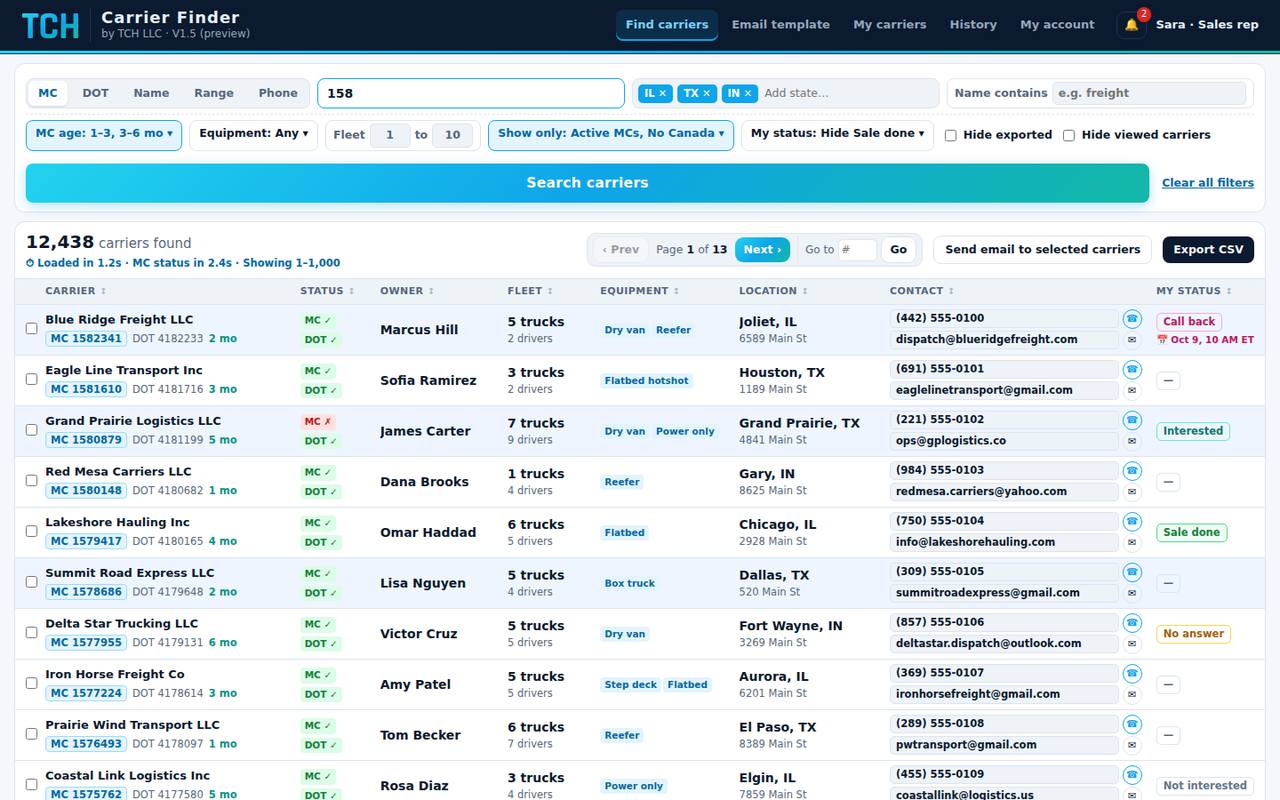
Reach carriers at the moment they need coverage
Pick a lead type and a time window. Carrier Finder lists the carriers that match, most urgent first, with their current insurer and policy details beside them.
- See the competition. Insurer name, policy number, effective date and coverage for every carrier.
- Target precisely. Filter by insurer, coverage amount, missing cargo insurance, state and fleet size.
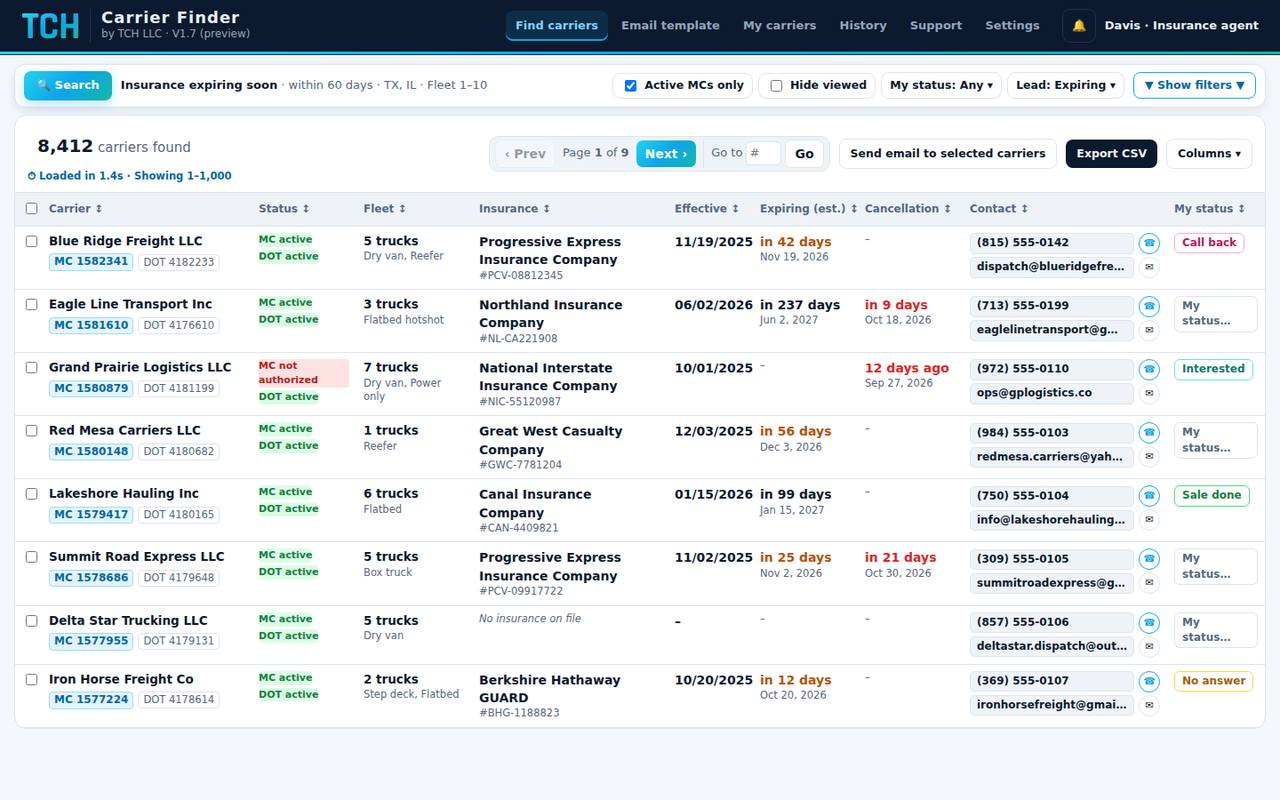
Everything about a carrier on one page
Open any carrier to see authority, insurance, fleet, equipment, owner, address and contact details together. Call, email or copy the details from the same page, and use the arrow keys to move to the next carrier.
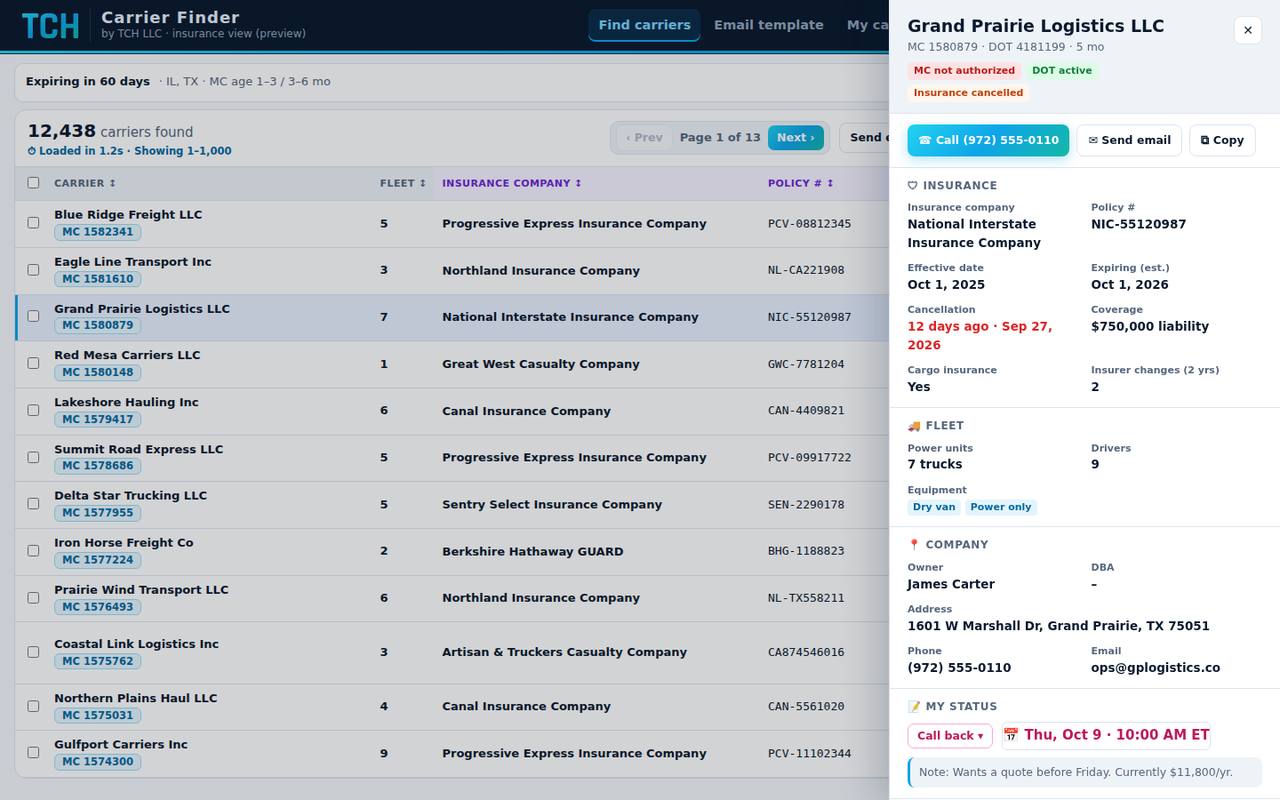
How it works
From sign-in to your first call in a few minutes.
- Sign in
Use the email and password from your welcome email. Your account is tied to one computer for security.
- Connect Gmail
Connect once in Settings, then set your name, phone and company in Email template.
- Search and filter
Choose MC, USDOT, name, phone or range, open Filters to narrow the list, and press search.
- Work the list
Call or email in one click, set a status, and schedule call-backs that remind you on time.
- Track and export
Follow your pipeline in My carriers, see your limits, and export the carriers you need.
Run a team without losing track
Admins add people, set limits and see the day's work in one report.
Create sales rep or insurance agent accounts with a welcome email, and change roles any time.
Set export and email limits per person. Limits reset on the 10th and can be raised on request.
Calls, emails, exports and statuses for every person, for any day, ready to download.
Team members send questions or limit requests from the app and get your reply in the same thread.
Questions
Where does the carrier data come from?
From public US Department of Transportation carrier, authority and insurance records. The database refreshes daily, and carriers on your screen are checked live for authority and insurance on file.
Is the "Expiring soon" date exact?
It's an estimate. Public records include a policy's effective date but not its end date, so Carrier Finder shows the next one-year anniversary of the current policy. Cancellations and their dates come straight from the filings.
Can I use my account on more than one computer?
Each account works on one computer and browser. If you switch computers, ask your administrator to reset your device, then sign in on the new one.
Do emails go out from my own address?
Yes. You connect your Gmail once, and every email is sent from it under your name, with your company details and an unsubscribe line at the bottom.
Are there limits on exports and emails?
Yes, each person has a monthly export and email limit, shown in Settings. Limits reset on the 10th. To raise one, send a request from the Support tab.
Does it include freight brokers?
Yes. Filter by Carrier or Broker, and each result shows which one it is next to its authority status.
How do I get an account?
Accounts are created by TCH. Email support@tchproviders.com and we'll set up access for you or your team.
Ready to work smarter lists?
Log in, or email us to set up your team.
 Powered by The Founders (SMC-PVT) Ltd